artist-popup
Short Description: A decentralized platform for artist pop-up events, enabling artists to mint NFTs for their physical artwork and attendees to collect digital assets with exclusive content
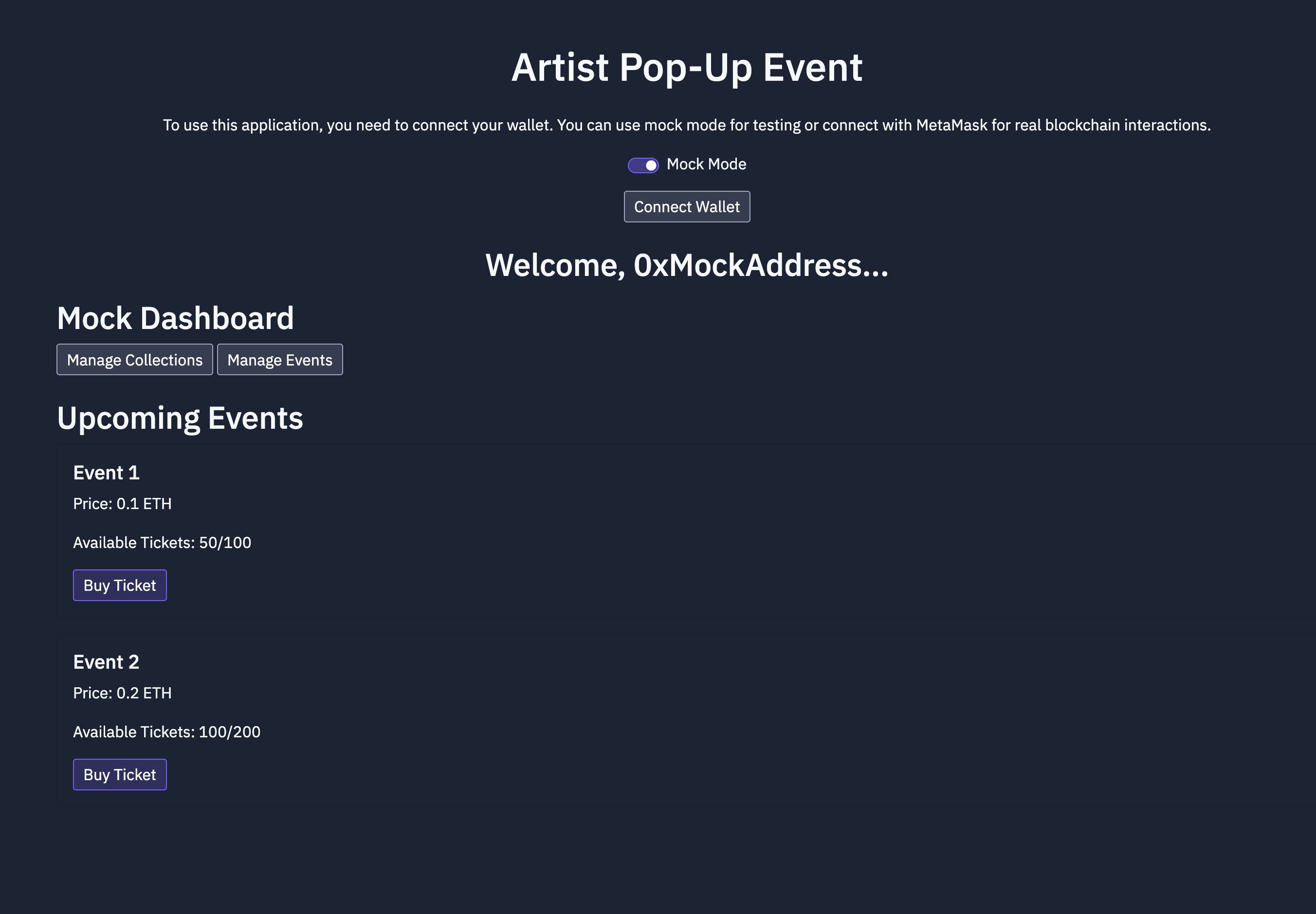
Screenshots


Problem Statement
The Artist Pop-Up NFT Platform is an innovative decentralized application that connects artists, attendees, and event organizers by combining physical pop-up art events with digital NFT technology. This platform allows artists to showcase their artwork and create NFTs that represent their pieces, giving collectors and attendees the opportunity to own unique digital collectibles linked to exclusive content. Using MetaMask, users can securely connect and interact with the platform, including minting new NFTs, transferring ownership, and accessing special content.
Solution
Revised Replit Instructions for Artist Pop-Up Event with NFT IntegrationWe’re simplifying the process for developing your artist pop-up event application, focusing on security, user experience, and reducing complexity by leveraging MetaMask for all user interactions—including admins, artists, and attendees. Here’s a comprehensive guide to set up and deploy your app onReplit, incorporating what we’ve learned so far.Agent Instructions for Replit SetupStep 1: Set Up the Replit ProjectCreate a New Replit Project:UseNode.jsas the base template for the project.Make sure the workspace has an appropriate name, e.g.,artist-popup-nft.Install Required Dependencies:Run the following command in the Replit console to install necessary packages:npm install @openzeppelin/contracts ethers dotenv hardhat web3 @walletconnect/client lit-js-sdkThese packages will enable the project to interact with Ethereum-compatible blockchains, manage smart contracts, and facilitate user authentication.Add Environment Variables:Click on the lock icon in the Replit sidebar to set upenvironment variables:SKALE_ENDPOINT: Endpoint URL for SKALE network (e.g.,https://testnet.skalenodes.com/v1/giant-half-dual-testnet).NFT_CONTRACT_ADDRESS: The address of the deployed NFT contract.Note: No private keys should be stored as environment variables.Step 2: Hardhat Local Deployment for Smart ContractWrite the NFT Smart Contract:Create a new Solidity file namedArtistPopupNFT.solthat usesOpenZeppelin's ERC721standards.The contract should implement role-based permissions for Artists, Attendees, and Admins.Deploy the Contract Using Hardhat:Configure thehardhat.config.jsto point to the SKALE testnet.Deploy locally using the following command:npx hardhat run scripts/deploy.js --network skaleAfter deploying, save the contract address and add it as an environment variable (NFT_CONTRACT_ADDRESS).Step 3: Implement MetaMask Wallet InteractionsAdd MetaMask Login Functionality:Updatemain.jsto connect to MetaMask for all blockchain interactions.Implement theconnectWallet()function to prompt users to connect their MetaMask wallet:async function connectWallet() { if (typeof window.ethereum !== 'undefined') { const accounts = await ethereum.request({ method: 'eth_requestAccounts' }); console.log("Connected account:", accounts[0]); } else { alert("MetaMask is not installed. Please install it to continue."); } }Use MetaMask for Admin and User Actions:Admins, Artists, and Attendees will use MetaMask to authenticate, verify roles, and interact with the blockchain.Ensure that functions likeminting NFTs,transferring ownership, andadmin controlsare handled by prompting MetaMask for transaction approval.Step 4: Build a Unified DashboardCreate a Role-Based Dashboard (dashboard.html):Implement one dashboard where the UI changes dynamically based on the authenticated user role.Artist: Options for creating and minting artwork.Attendee: Options for viewing owned NFTs and accessing exclusive content.Admin: Special controls, such as pausing contracts or managing artists.Show/Hide Features Based on Role:Usemain.jsto determine the user role based on wallet address.Example for showing admin controls:async function checkAdminStatus() { const accounts = await ethereum.request({ method: 'eth_requestAccounts' }); const userAddress = accounts[0]; // Assuming you have a smart contract method to verify admin status const isAdmin = await adminContract.methods.isAdmin(userAddress).call(); if (isAdmin) { document.getElementById("admin-controls").style.display = "block"; } }Step 5: Exclusive Content Using Lit ProtocolSet Up Exclusive Content Encryption:UseLit Protocolto manage encryption and decryption of exclusive artist content.When an attendee tries to access exclusive content, verify NFT ownership usingethers.jsandLit Protocolfor secure decryption.Front-End Interaction:Inexclusive_content.html, provide an“Unlock Exclusive Content”button that connects to MetaMask for verification.If the user holds a qualifying NFT,Lit Protocolwill decrypt the content and make it accessible.Step 6: Testing and Deployment on ReplitTest the Interaction Flow:Test all major flows includingminting NFTs,transferring NFTs,verifying ownership, andaccessing exclusive contentusing MetaMask.Ensure users can log in securely, verify their roles, and interact with the smart contract deployed on SKALE.Deploy on Replit:Use Replit to host thefront-endinterface.Make sure the smart contracts are deployed locally or using a secure cloud solution. Only the front-end interaction should happen through Replit.Step 7: No API Required for Sign ProtocolSign Protocol Integration: Note that usingSign Protocoldoes not require a traditional API key. Instead, it involves direct interactions using wallet signatures, making the integration straightforward without needing extra API credentials.For example, SIWE (Sign-In with Ethereum) is handled via direct message signing and on-chain verification, eliminating the need for centralized API access.Key Security PracticesNo Private Keys in Code: Avoid storing any private keys within Replit or any online environment.Role Management via Wallet: Use MetaMask to control access and verify actions securely without relying on centralized authentication.SummaryThe entire app—including Admin, Artist, and Attendee roles—operates securely usingMetaMaskfor authentication and blockchain transactions. Hosting on Replit is focused on the front-end, while smart contracts are managed securely using Hardhat and MetaMask to ensure a consistent, user-friendly experience without compromising security.
Hackathon
ETHGlobal San Francisco
2024
Contributors
- devsodhirao
1 contributions
